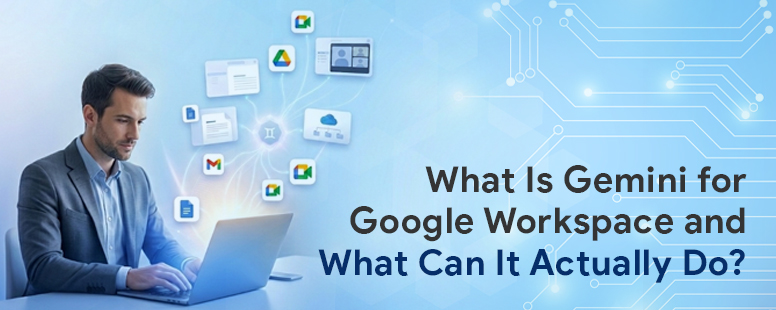
What Is Gemini for Google Workspace and What Can It Actually Do?
Most teams upgraded to Google Workspace and never looked back. Your team sends emails, shares Docs, and joins Meet calls without a second thought.
But somewhere between the 2024 product announcements and your team’s actual day-to-day, something got missed.
Google quietly retired Duet AI and replaced it with Gemini for Google Workspace. This was not a rename. Instead, it was a rebuild from the ground up. The features are different, the capability is wider, and for most Business and Enterprise plan users, it is already switched on.
The only thing missing is someone actually using it. This post breaks down what Gemini does inside each app. By the end, your team will know exactly what is sitting there waiting.
What Is Gemini for Google Workspace?
Gemini is Google’s AI assistant built into its productivity suite. It works inside apps your team already has open every day. Rather than switching to a separate tool, you get AI assistance inside Gmail, Docs, Sheets, Slides, Meet, and Chat.
As of January 2025, Google stopped selling Gemini as a separate add-on. Instead, it folded Gemini directly into every Business and Enterprise Workspace plan. So if your team is on Business Standard or above, Gemini is already included. You are just not using it yet.
What Gemini Does in Each App
1. Gmail
Long email threads eat up more time than most people realise. Gemini can summarise any thread in a single click. After that, it can draft a contextual reply based on the conversation. Alternatively, you can write a full email from scratch using a simple prompt.
The Gemini side panel in Gmail also sits alongside your inbox, ready without any extra steps. For high-volume inboxes, this alone changes the pace of a workday. You can also read about 7 Gmail automation scripts that pair well with Gemini to take inbox management even further.
2. Google Docs
A blank page is still one of the biggest productivity blockers at work. With Gemini, you describe the document you need, and a first draft appears instantly. Whether it is a proposal, a policy brief, or a meeting summary, Gemini writes the starting point. Beyond drafting, it rewrites existing content to shift tone, sharpen clarity, or cut length. For teams producing written output regularly, this shortens the process considerably.
2. Google Slides
Presentations take longer to build than the ideas behind them deserve. Gemini in Slides generates images directly inside your deck using a text prompt. Beyond visuals, it builds slide outlines and speaker notes from an existing document or brief. For teams producing client decks and training materials regularly, this cuts preparation time at every stage.
3. Google Sheets
Data work no longer demands formula expertise. Instead, describe what you want in plain English, and Gemini handles the build. Asking for “sales by region as a chart” takes seconds. Beyond analysis, it also builds trackers, templates, and project plans from a short description. For non-technical users, this removes one of the biggest barriers to getting value from Sheets.
4. Google Meet
After every meeting, someone has to write everything down. Gemini in Meet handles that automatically, generating summaries and pulling out action items before the call ends. Additionally, it provides live translated captions across multiple languages during the call. For distributed teams and client-facing meetings, this removes a friction point that comes up every single week.
5. Google Chat
Coming back to a long Chat thread mid-conversation is disorienting. Gemini catches you up instantly, without you having to scroll through everything. Beyond catch-ups, it drafts replies and surfaces relevant information from across your Workspace. All of this happens without leaving the Chat window.
What About Larger Enterprises?
For organisations that want more than individual productivity gains, there is more to explore. Google Workspace Studio lets users create multi-step AI workflows in plain English, with no coding required. Gemini automates tasks like email labelling, pre-meeting briefings, and post-call follow-ups this way. It is available on Business and Enterprise plans in 2026.
For a deeper look at how AI is reshaping operations at scale, our post on Gemini Enterprise in 2026: Enterprise AI Trends, Adoption, and Opportunities covers what large teams are doing right now.
Who Should Use Gemini for Google Workspace?
Gemini works for teams of any size and in any industry. That said, the gains are most immediate for sales teams handling high email volumes. Similarly, operations teams working with complex data benefit just as quickly. Moreover, content and marketing teams producing regular written output see results from day one.
Managers who need fast summaries of long documents and meeting recordings also gain significant time back. Essentially, if your team writes, analyses, presents, or meets, Gemini has something useful for them.
Want to know which Workspace features your team is already missing?
Our post on 12 Hidden Google Workspace Features That Save Remote Teams Hours Every Week is worth reading alongside this one.
Is Your Data Safe with Gemini?
Data security is a reasonable concern, especially for Indian businesses. Google does not use your prompts or generated responses to train Gemini models outside your domain without explicit permission. Google does not use your business data for ad targeting either. For organisations navigating India’s data protection requirements, this distinction matters.
Shivaami is ISO 27001 certified and SOC 2 Type II compliant. When we help you deploy Workspace and Gemini, security governance is built into every step. You can read more about how we approach cloud security for businesses here.
How to Get Gemini for Google Workspace
Gemini is now included in Business Standard, Business Plus, Enterprise Starter, Enterprise Standard, and Enterprise Plus plans. Business Starter includes a more limited version of the features.
For teams needing higher usage limits on advanced features, Google’s AI Expanded Access add-on is available from 2026 onwards. Google’s official Gemini feature comparison by Workspace edition is the most accurate place to check what your current plan includes.