
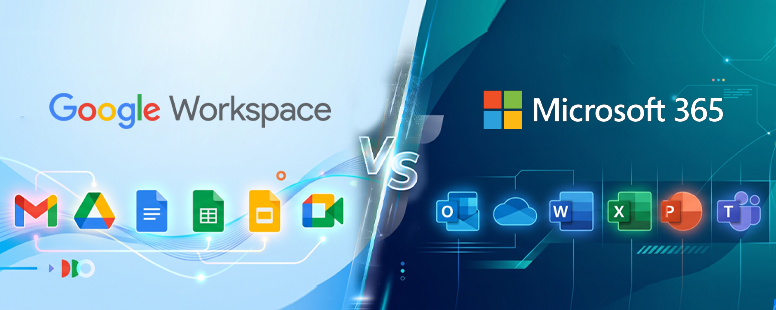
Google Workspace Beats Microsoft 365 for Teams
Indian businesses comparing Google Workspace vs Microsoft 365 often default to the familiar option. Familiarity is not the same as fit, and the wrong choice quietly costs your team time every single day. This blog gives you the honest breakdown so you can decide with clarity.
Two Suites, Two Different Foundations
Google Workspace was built cloud-first, with collaboration designed into every app from the start. Microsoft 365 started as desktop software and shifted to the cloud over time, carrying that legacy in its architecture. That origin difference shapes what your team experiences every time they open a document, join a meeting, or share a file.
When businesses compare Google Workspace vs Microsoft 365, they often focus on app features alone. The deeper question is how each platform is designed for the way modern teams actually work. Cloud-native design versus desktop-first adaptation is not a minor distinction.
Real-Time Collaboration: Google Workspace Has a Structural Advantage
Multiple people can edit a Google Doc, Sheet, or Slide simultaneously, with every change appearing instantly for all collaborators. There are no attachments to send, no version conflicts to resolve, and no confusion about which file is the latest one. The entire experience is built into the product, not layered on top of it.
Microsoft Word, Excel, and PowerPoint support co-authoring, and the capability has improved steadily over the years. However, users consistently report more steps, more dependency on OneDrive being set up correctly, and a workflow that feels added on rather than native. For teams who collaborate constantly, that friction adds up across every document and every deadline.
For Indian businesses running hybrid or distributed teams across cities, this gap is not cosmetic. Real-time collaboration is now a daily operational need, not an occasional convenience. Google Workspace was designed for exactly this way of working.
Does your team still email “Final_v3_ACTUAL_FINAL.docx” to each other? That is a structural problem. Google Workspace solves it at the architecture level.
AI Assistance: Gemini Comes Built In
This is the sharpest differentiator when evaluating Google Workspace vs Microsoft 365 in 2025 and 2026. Google included Gemini AI across all Workspace Business and Enterprise plans, removing the need for a separate add-on purchase entirely. Every user on a qualifying plan gets Gemini working inside their daily tools from day one, with no extra procurement step required.
Gemini works directly in Gmail, Docs, Sheets, Slides, Meet, and Chat, giving users AI assistance right inside the tools they already use. It summarises email threads, writes first drafts, generates spreadsheet formulas, takes meeting notes automatically, and builds slide decks from a simple prompt. Teams do not need to switch between tools or learn a separate AI interface.
NotebookLM is also included in Workspace plans, helping teams upload source documents and turn complex information into clear, shareable insights quickly. For knowledge-heavy teams handling large volumes of content, this alone changes how research and documentation work. These capabilities are not add-ons. They are part of the plan your team already pays for.
Microsoft Copilot Requires a Separate Licence
Microsoft’s AI offering works differently, and this distinction matters when comparing Google Workspace vs Microsoft 365. Microsoft 365 Copilot is structured as an add-on plan, requiring a separate licence purchase on top of an existing Microsoft 365 subscription. Basic Copilot Chat is included with eligible plans, but it operates at a limited level.
The full Copilot experience inside Word, Excel, PowerPoint, Outlook, and Teams requires a separate paid add-on licence, which is an additional cost beyond your base Microsoft 365 plan. For Indian businesses managing per-user software costs carefully, this structure changes the total investment calculation significantly. You are not comparing two similar plans at similar costs.
The practical difference is straightforward. Google Workspace gives your team a capable, integrated AI assistant from day one. Microsoft 365 gives you a capable AI assistant after an additional purchase decision, approval cycle, and licence assignment. For fast-moving teams, delays and that extra cost have real consequences.
Where Microsoft 365 Genuinely Leads
A complete Google Workspace vs Microsoft 365 comparison requires honesty about where Microsoft wins. Word, Excel, and PowerPoint remain the most feature-rich desktop productivity applications available anywhere. Their depth of functionality, template libraries, and formatting controls are ahead of their Google counterparts.
Excel’s advanced formula capabilities, pivot table depth, and charting options go beyond what Google Sheets currently offers. PowerPoint gives presenters and designers finer control over animations, layouts, and design elements than Google Slides does. For finance teams, analysts, and design-heavy roles, these differences are real and operationally significant.
If your organisation has teams who live in Excel or produce complex, formatting-heavy Word documents, Microsoft 365 is the stronger fit for those specific workflows. The question is how much of your organisation fits that description, and how much of it needs collaboration and AI more than raw desktop power.
Security and Compliance: Both Platforms Are Enterprise-Grade
Neither Google Workspace nor Microsoft 365 cuts corners on security, and both are trusted by large enterprises handling sensitive data globally. For Indian businesses, the question is not which platform is secure but which platform’s compliance architecture fits your regulatory context.
Gemini for Workspace has attained SOC 1/2/3, ISO 27001, ISO 17/18, and ISO 42001 certifications, and can help organisations meet HIPAA compliance requirements. For businesses navigating India’s Digital Personal Data Protection Act, this certification framework provides a defensible starting point for data governance conversations. Your content is not used to train Google’s AI models, and your data does not leave your organisation without explicit permission.
Microsoft 365 holds comparable enterprise certifications and offers robust identity management through Microsoft Entra ID. Organisations with complex Active Directory environments or legacy Microsoft security infrastructure will find Microsoft’s tools deeply integrated and familiar. Your existing compliance requirements and IT architecture should drive this part of the decision.
Admin Experience: Simplicity vs Depth
Google Workspace is managed through a single, web-based Admin Console where provisioning users, setting security policies, managing devices, and reviewing audit reports all happen in one place. The interface is clean, fast to learn, and does not require deep IT expertise to use effectively. For lean IT teams common in Indian SMBs, this is a genuine operational advantage.
Microsoft 365’s admin tools are significantly more powerful and significantly more complex. They integrate with Active Directory, Group Policy, Microsoft Intune, and a wide ecosystem of enterprise tools, giving large IT teams granular control over every aspect of the environment. For organisations with dedicated IT infrastructure teams, that depth is an asset worth having.
The honest assessment is that Google Workspace suits businesses that want modern simplicity, while Microsoft 365 suits businesses that need legacy-compatible enterprise control. Most growing Indian businesses fall into the first category.
Migration: The Question Other Comparisons Skip
Most Google Workspace vs Microsoft 365 comparisons treat this as a fresh purchase decision. Most Indian businesses are already on a platform and evaluating whether to switch, which is an entirely different problem with different stakes. A good comparison has to address this honestly.
Moving to Google Workspace involves data migration, retraining users, and redesigning some workflows. None of these challenges is insurmountable, and all of them become significantly more manageable with an experienced implementation partner. The migration itself is rarely the bottleneck. User adoption is.
See how Google Workspace has transformed productivity for businesses.
Shivaami has handled large-scale migrations, including a 3,500-employee move for Intas Pharmaceuticals from legacy systems to Google Workspace. The experience across industries tells us that organisations with the right partner in place see faster adoption, fewer disruptions, and better long-term value from the platform. Going it alone costs more in the long run.